
How to Increase Average Order Value: 12 Proven Tactics
You’re running ads, your conversion rate is steady, and customers are buying, but your revenue still isn’t where you want it to be. Often, the problem isn’t traffic. It’s that each order isn’t worth enough.
Increasing your average order value is one of the quickest ways to improve this. You don’t need to find new customers or rebuild your funnel. Instead, you get more value from customers who are already ready to buy.
Key Highlights
- Increasing AOV means more revenue without increasing ad spend or traffic
- The most effective tactics, bundles, upsells, and spending thresholds work at the cart level, where customers are already making their purchase decision
- AOV only matters when it grows without hurting your margins
Why Ecommerce Brands Should Focus on AOV
Most ecommerce brands spend a large part of their budget bringing people to their store. AOV focuses on what happens after those visitors arrive.
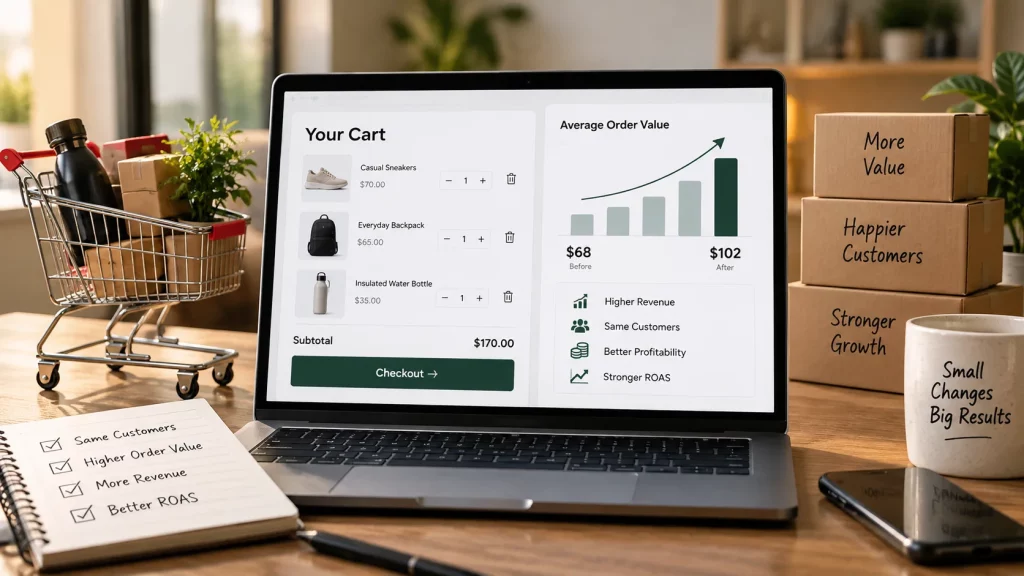
When your average order value increases, each transaction becomes more valuable. Your customer acquisition cost stays the same, but each customer you’ve paid to acquire generates more revenue. This can improve your ROAS, give you more margin to work with, and reduce your dependence on constantly finding new customers.
The effect can also add up over time. A 20% increase in AOV across your current order volume can create more revenue than a 20% increase in traffic without the extra cost of acquiring that traffic.
But increasing AOV is only useful if it doesn’t hurt your margins. Free shipping, discounts, and free gifts all cost money. If those costs take away the extra revenue you’re generating, you haven’t really gained anything. Look at the cost of each tactic, not just the extra value it adds to the cart.
12 Tactics That Increase Average Order Value
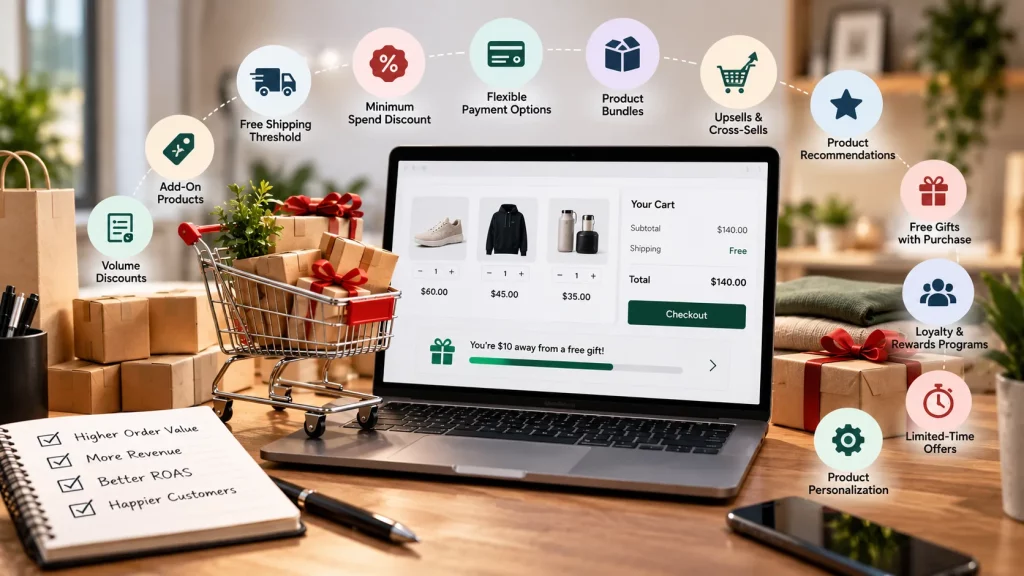
1. Free Shipping Threshold
What it is: The minimum cart value customers must reach to qualify for free shipping. It is one of the best ways to optimize your cart page on Shopify.
How it helps: Many customers would rather add another item than pay for shipping, especially when they can see exactly how much more they need to spend. A progress bar in the cart, such as “You’re $12 away from free shipping,” usually works better than a banner that simply explains the policy.
Set the threshold 10–20% above your current AOV. If your AOV is $70, setting free shipping at $85 gives customers a clear target without making it feel too far away.
- On Shopify: Settings → Shipping and Delivery → Manage Rates → Add Rate → set to Free with a minimum order price condition.
- On WooCommerce: WooCommerce → Settings → Shipping → Shipping Zones → click your zone → Add Free Shipping method → enter the minimum order amount.
2. Minimum Spend Discount
What it is: A discount that only applies when a customer spends above a certain amount — for example, “$12 off orders over $90.”
How it helps: Unlike a site-wide discount, minimum spend discount encourages customers to spend more to unlock the savings. It’s often a better approach than a percentage-off promotion because smaller orders don’t automatically get a discount, while customers who spend more get a reward.
- On Shopify: Discounts → Create Discount → Amount Off Order → set a minimum purchase amount as the condition.
- On WooCommerce: WooCommerce → Coupons → Add Coupon → Fixed Cart Discount → set minimum spend under the Usage Restrictions tab.
3. Flexible Payment Options
What it is: Buy now, pay later (BNPL) options such as Shop Pay Installments, Klarna, or Afterpay that allow customers to split larger purchases into installments.
How it helps: For orders above $100, the upfront price can be the main reason a customer doesn’t add another item or choose a more expensive version. When the price is shown as $30/month instead of $120 upfront, the purchase can feel easier to manage. BNPL options can increase average order size for mid-to-high-ticket products.
- On Shopify: Enable Shop Pay Installments in Shopify Payments settings. For Klarna or Afterpay, install their apps from the Shopify App Store.
- On WooCommerce: Install the Klarna Payments, Afterpay Gateway for WooCommerce, or Zip plugins. Installment pricing displays at the product level and at checkout.
Threshold strategies can work quickly, but watch the numbers. If your free shipping threshold is too low, you may simply give away margin without changing customer behavior. The same applies to minimum spend discounts that are too generous. Check your margin data before launching these offers.
A high abandonment rate at checkout often means your thresholds or payment options aren’t matching what your customers actually need.
4. Product Bundles
What it is: Two or more related products sold together as one purchase, usually at a small discount compared with buying each item separately.
How it helps: Bundles increase cart value while giving customers a reason to feel good about spending more. They’re getting better value rather than simply being asked to add more products. The best bundles are obvious combinations that don’t need much explanation. If a customer needs the second product to use the first one properly, that’s a good bundle opportunity.
- On Shopify: Bundler, Product Bundles, and Bold Bundles both support fixed bundles, mix-and-match, and volume-based pricing. Display bundles on product pages and in the cart.
- On WooCommerce: WooCommerce Product Bundles plugin (by Automattic). Configure grouped products with a bundled price and show them on individual product pages.
5. Pre-Purchase Upsell
What it is: An offer shown before checkout that gives customers a higher-value version of what they’re already buying, such as a larger size, premium tier, or upgraded bundle.
How it helps: Upselling works when the upgrade makes the purchase more useful, not simply more expensive. The extra value needs to be clear. Side-by-side comparisons such as “Get 3x more for only $15 extra” usually work better than simply showing the more expensive option.
- On Shopify: Zipify OneClickUpsell for pre-purchase upsells. Display on product pages and the cart before checkout.
- On WooCommerce: Set upsells natively through the Linked Products tab on each product edit page. For more control over placement and display, use the CartFlows plugin.
6. Post-Purchase Upsell
What it is: An offer shown after a customer has completed their order, on the thank-you page or in a follow-up email, offering a related product they can add with one click.
How it helps: Post-purchase upsells don’t interrupt the original checkout. The customer has already completed the purchase and is in a high-trust, high-satisfaction moment. That makes them more open to another relevant offer. Post-purchase upsells can also perform better than cart-abandonment offers because you’re reaching someone who has just bought instead of someone who already left.
Post-purchase upsells are consistently cited as one of the highest-converting AOV tactics in ecommerce. The customer is already in buying mode, the pressure of the main purchase is gone, and a relevant offer can capture extra spending that might otherwise be lost.
- On Shopify: ReConvert Post Purchase Upsell and AfterSell both integrate with Shopify’s post-purchase extension API. No redirect from the thank-you page is needed.
- On WooCommerce: WooFunnels Order Bump or CartFlows. Both add one-click upsells to the order confirmation page.
7. Cart-Level Cross-Sell
What it is: A recommendation shown in the cart for another related product based on what the customer has already added.
How it helps: Cross-sells work best when they feel useful, not pushy. A customer with a coffee maker in their cart seeing a recommendation for coffee pods is helpful. A recommendation for a phone case isn’t. Relevance is what makes cross-sells work. Generic “customers also bought” carousels from unrelated categories rarely make much difference.
- On Shopify: Frequently Bought Together and LimeSpot Personalizer both surface cross-sells in the cart and on product pages based on purchase data.
- On WooCommerce: Add cross-sells through the Linked Products tab on each product. They appear on the cart page by default. For smarter, data-driven cross-sells, YITH WooCommerce Frequently Bought Together is the better option.
Bundling, upsells, and cross-sells lose their value when they’re set up once and never reviewed. Recommendations that made sense six months ago may no longer make sense if your catalog has changed. Review them every quarter and make sure your suggestions still match your current bestsellers.
Bundles, upsells, and cross-sells are just three of the levers available for lifting cart value and conversion together.
8. Personalized Product Recommendations
What it is: Product suggestions based on a customer’s browsing history, past purchases, or product category behavior instead of static “related products” from a default setting.
How it helps: The closer a recommendation is to what a customer already wants, the more likely they are to add it. Personalization and behavioral targeting in ecommerce help customers discover products they’re actually interested in. That’s why they can work better than generic recommendation blocks.
- On Shopify: Rebuy Personalization Engine and LimeSpot Personalizer use purchase and browsing data to show relevant recommendations across product pages, cart, and post-purchase.
- On WooCommerce: YITH WooCommerce Recommended Products and Beeketing for WooCommerce offer behavior-based recommendations beyond WooCommerce’s default display.
9. Strong Product Pages That Support the Add-On Decision
What it is: Product pages designed to make upgrade and add-on decisions easier, with clear pricing comparisons, review ratings, and social proof that reduces hesitation.
How it helps: An upsell or bundle is only as strong as the page it leads to. If the recommended product has a weak page with no reviews, no size comparison, or unclear images, they may return to their original purchase instead of adding the product. The product page is an important part of the AOV process that also helps you get recommended in AI answers too.
- On Shopify: Judge.me or Okendo for review widgets; Nudgify or Fomo for social proof; Shogun or PageFly for layout control and A/B testing.
- On WooCommerce: WooCommerce Product Reviews Pro for enhanced review display; WooCommerce Live Sales Notifications for urgency cues; Elementor for flexible layout control.
10. Gift With Purchase at a Spend Threshold
What it is: A free product or sample that customers receive when their cart reaches a minimum value.
How it helps: A gift with purchase works differently from a discount. Customers add more products to get something extra rather than to save money. This means there isn’t the same margin reduction as with a discount; you mainly pay the cost of the gift. If the gift introduces customers to a product they haven’t tried, it can also lead to future purchases.
- On Shopify: Gift Box + Free Gift with Purchase and Monk Cart Upsell & Free Gift both automatically add a free product when the cart reaches a set threshold.
- On WooCommerce: Free Gift Coupons for WooCommerce. Set the spend threshold and assign the free SKU; it adds automatically at checkout.
11. Time-Limited Offers With Real Deadlines
What it is: A promotion with a specific, genuine time limit such as a 48-hour flash sale, launch-week bundle, or seasonal offer with a clear end date.
How it helps: Real urgency encourages customers to make a decision instead of leaving products in their cart. The important part is that the deadline must be genuine. Countdown timers that reset every 24 hours stop being effective when returning customers notice the pattern. An offer that actually ends and doesn’t return the following week gives customers a real reason to act now.
- On Shopify: Sales Countdown Timer Bar by Hextom and Hurrify adds countdown timers to banners, product pages, and cart pages. Pair them with an automatic discount that has a specific active date range in the Discounts section.
- On WooCommerce: WooCommerce Dynamic Pricing & Discounts supports date-range pricing. Countdown Timer for WooCommerce adds visible timers to product and cart pages.
12. Tiered Loyalty Program
What it is: A rewards program where higher total spending unlocks better benefits such as faster point earning, exclusive products, early access, or higher discount rates.
How it helps: A tiered loyalty program gives customers an ongoing reason to spend more with your brand. When customers can see the next tier and the benefits are useful, they may choose to combine purchases with your store. This can improve both AOV and repeat purchase rate, giving it more long-term value than many one-time promotions.
- On Shopify: Smile.io, Yotpo Loyalty & Rewards, and LoyaltyLion all support tiered structures, point multipliers, and reward redemption at checkout.
- On WooCommerce: WPLoyalty – Points & Rewards for WooCommerce and YITH WooCommerce Points and Rewards. Both support configurable tier thresholds and reward types.
Loyalty programs need careful financial planning before launch. Calculate what each point is worth at every tier, what redemption will cost, and how much margin you can give back before the program becomes a problem. A poorly designed loyalty program can slowly reduce margins across your highest-volume customers, the opposite of what you want.
What to Measure Alongside AOV
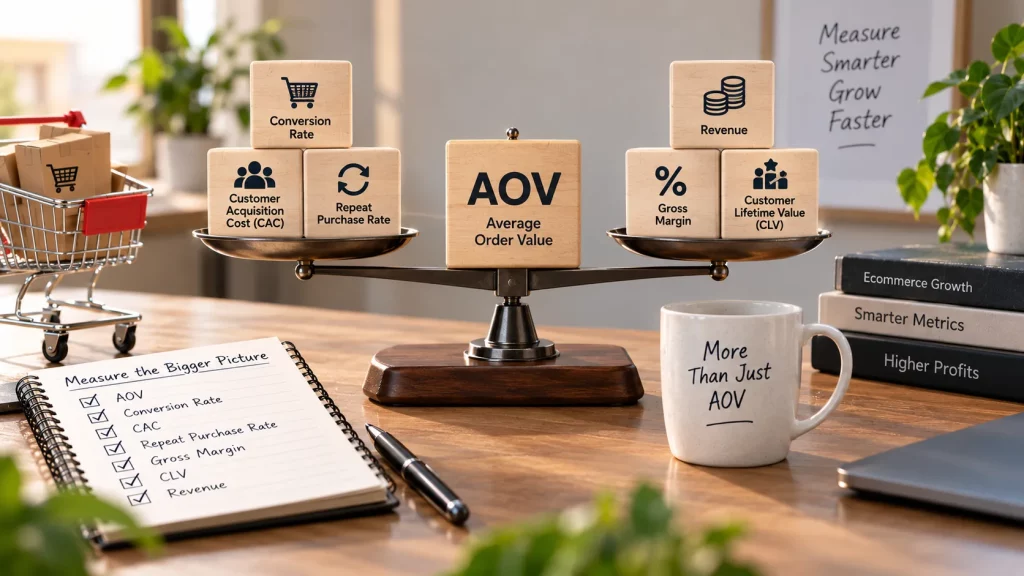
Tracking AOV alone doesn’t tell the whole story. These metrics help you understand whether your AOV gains are actually valuable:
- Conversion rate. A tactic that increases AOV but lowers conversion may be adding friction. Watch both numbers together. If conversion drops after adding a new upsell or threshold, the offer may be getting in the way of checkout instead of improving it.
- Contribution margin. AOV doesn’t account for the cost of fulfilling an order. Free shipping, gifts, and discounts all have costs. Contribution margin shows how much you actually keep after those costs. That’s the number that matters for profitability.
- Repeat purchase rate. Loyalty programs and post-purchase sequences should improve this over time. If AOV increases but repeat purchase rate stays flat, you may be focusing too much on first-order value without creating an experience that brings customers back.
- Customer lifetime value (LTV). AOV multiplied by purchase frequency over time. This is ultimately what AOV contributes to. A 10% increase in AOV combined with a small improvement in repeat purchases can have a compounding effect on LTV that is much larger than either improvement on its own.
Conclusion
Increasing average order value is about helping customers get more value from each purchase, not simply getting them to spend more. Start with relevant tactics like free shipping thresholds, bundles, upsells, cross-sells, and loyalty programs.
Track AOV alongside conversion rate, contribution margin, repeat purchases, and LTV. Test what works for your store, keep what improves results, and avoid tactics that hurt your margins.
Frequently Asked Questions
How to calculate the AOV?
Divide your total revenue by your total number of orders for a specific period. Most ecommerce platforms, Shopify Analytics, WooCommerce Reports, and Google Analytics 4, calculate and display this automatically in their revenue dashboards.
What is a high AOV?
It depends on your industry and price point. A $90 AOV means something very different for a jewelry brand than for a grocery brand. A more useful comparison is your AOV against your customer acquisition cost. If your CAC is $50 and your AOV is $60, you have very little margin to work with on the first order. If your AOV is $120, you have more room to reinvest and grow. Industry benchmarks can provide context, but start with your own numbers.
How to increase average order value on Shopify stores in 2026?
Shopify stores can increase AOV with tactics such as free shipping thresholds, product bundles, relevant upsells and cross-sells, personalized recommendations, post-purchase offers, and loyalty programs. The right mix depends on the store, products, and margins.
What AOV should a Shopify store aim for?
There isn’t one ideal AOV for every Shopify store. It depends on your product prices, customer acquisition cost, margins, and industry. A useful target is an AOV that leaves enough margin after fulfillment, discounts, shipping, and acquisition costs.
Does free shipping increase AOV?
A free shipping threshold can increase AOV when customers add products to reach the minimum spend. The threshold needs to be high enough to encourage additional purchases without giving away unnecessary margin.